 Heirloom
Photo restoration
Bring old family photos back to life.
Upload a faded, scratched or torn photo and get it back repaired and sharpened, in natural color if you like, with every face still exactly who it was. It takes about a minute, and you see the result free, beside the original, before you decide to keep it.
- ✓ Tears, creases and missing corners
- ✓ Scratches, dust, mold and stains
- ✓ Fading, yellowing and blur
- ✓ Natural color, if you want it
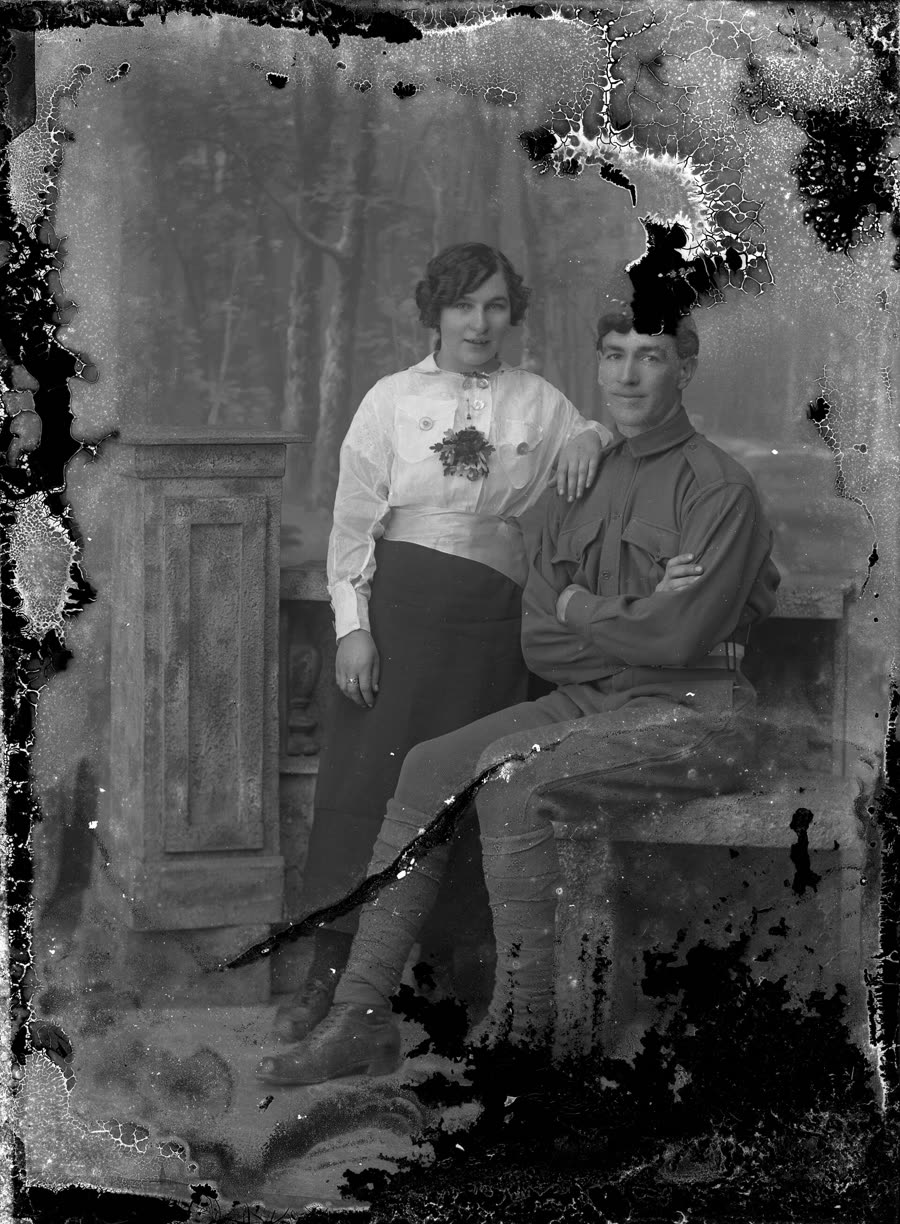
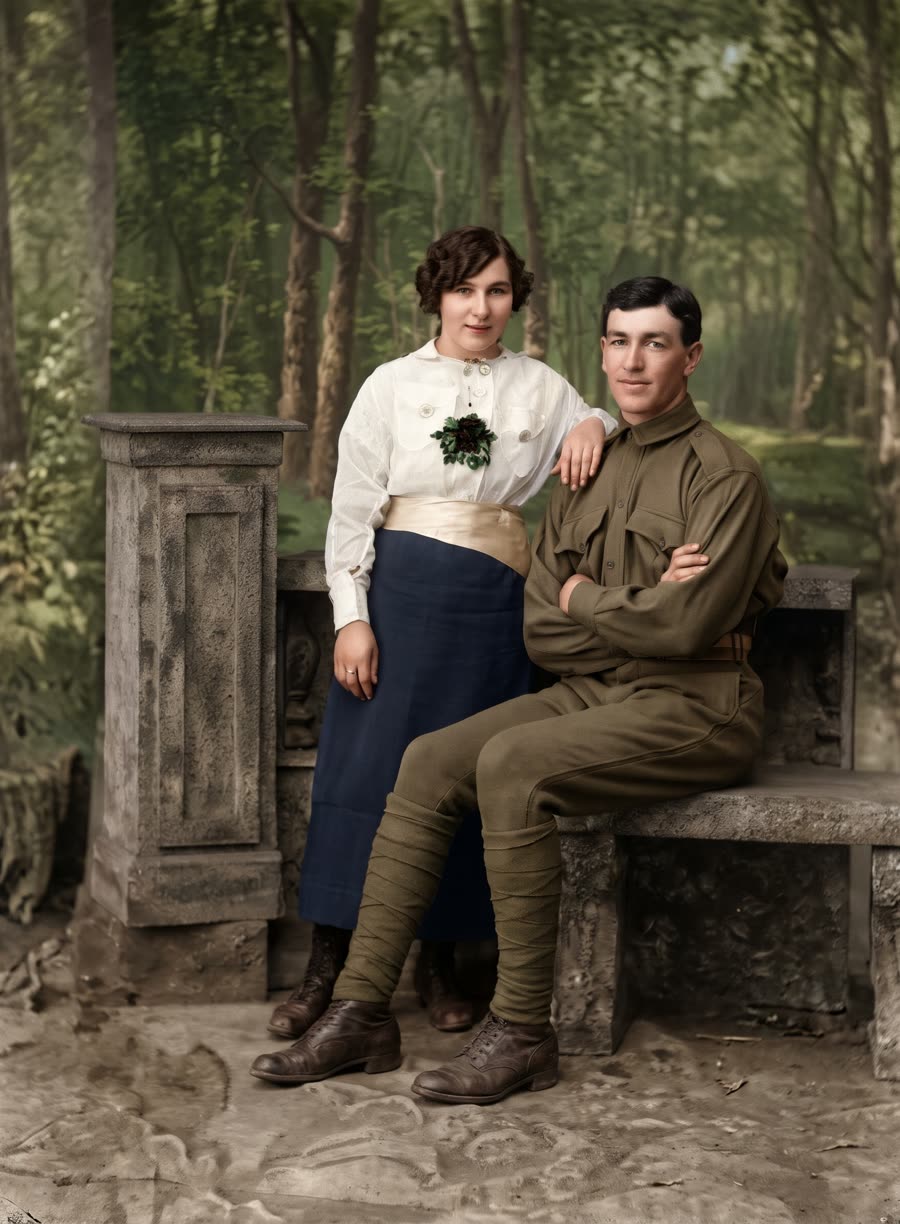
Photo by Alexander Galloway, about 1914, public domain (Coalfields Local History Association).
How it works
Three steps, about a minute.
-
1
Upload the photo
Sign in with Google, then add a scan, or a phone photo of the print taken straight on. Choose whether to keep its colors or add natural ones, and tell us anything you know, like the color of a dress.
-
2
Watch it come back
Tears close, scratches and stains lift, faded tones return and soft faces sharpen. Drag across the photo to compare it with the original, free.
-
3
Keep it
Download the full-resolution photo, ready to print, frame or share with the family. Something not quite right? Ask for a change in plain words.
A hard one
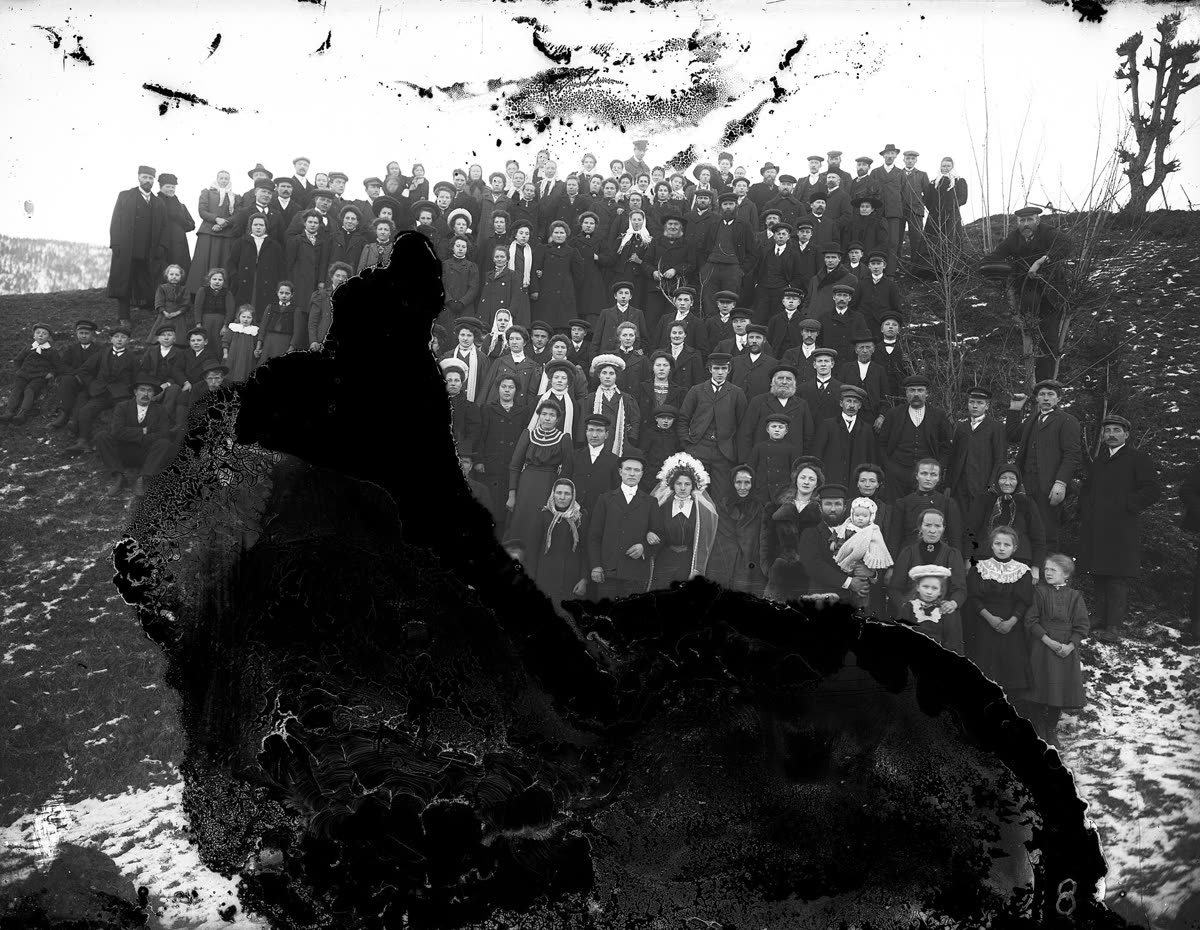
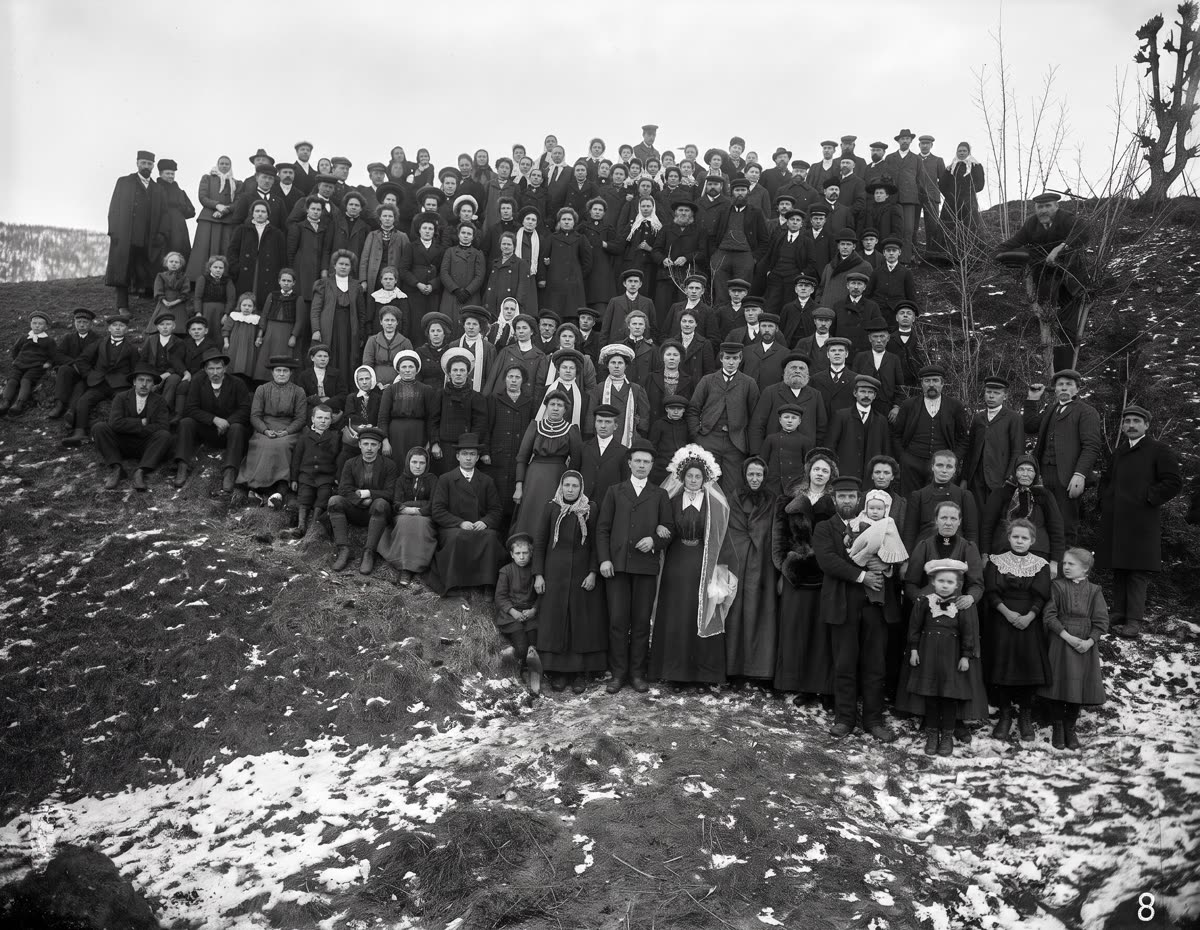
A third of the picture, flaked away.
A wedding party in Norway, about 1900, on a glass plate whose emulsion has peeled. Heirloom kept its own black and white, mended the sky and the faces, and filled the lost corner with the hillside around it instead of inventing guests.
Faces first
Still exactly who they were.
A restored photo of your grandmother is worthless if it doesn’t look like her. Before anything else, Heirloom is told to keep every face as it is: the same features, age, expression and wrinkles. Nobody is smoothed, slimmed or made younger, nothing is added and nothing is taken away but the damage. The grain and the look of the time stay, so it reads as the original print, well kept, not a modern snapshot.
Private
Your photos stay yours.
Your photos sit in your account, each with its own private link, and nothing is listed or shown anywhere. Your account keeps only your name and email address from Google. Your browser removes the file’s hidden details, such as location, before it uploads. Photos you don’t keep are deleted after 14 days; the ones you keep stay on their private page for a year.
Questions
Good to know
Will the faces still look like them?
That comes first. Heirloom is told to repair only the damage and to keep every face exactly as it is: the same features, age, expression and wrinkles, with nobody smoothed, slimmed or made younger. You compare the result with the original before you decide to keep it, and you can ask for changes.
What if part of the photo is missing?
Heirloom fills a missing piece by continuing what surrounds it, such as the ground, the sky, a wall or clothing, and is told never to add people. It can't know what was really there, though: if a face was lost entirely, whatever is in its place is a guess. Compare the result with your original before you keep it, and ask for a change if something isn't right.
Can it add color to a black-and-white photo?
Yes, if you choose to. Heirloom adds natural colors true to the time the photo was taken, kept gentle, the way color film of the day showed them. You can tell it what you know, such as the color of a dress. Or keep the photo black and white and only repair it.
What kind of photo works best?
A scan is best; 600 dpi is plenty. A phone photo works too: take it straight on, in daylight, without flash, and crop away the table or album page around the print. JPEG, PNG and WebP files up to 10 MB are accepted.
How much does it cost?
Every account gets 5 free restorations, and seeing a restored photo is always free. Keeping the full-resolution photo is one payment for that photo, with the price shown before you pay, and it includes changes until it is right. There is no subscription.
Is a person restoring my photo?
No. An AI image model from Google does the restoration, usually in under a minute, following detailed instructions to mend only the damage. The result carries Google's invisible AI watermark.
Why do I need to sign in?
So each person's photos stay together and private, and so the free restorations go one set to each person. You sign in with your Google account; Heirloom keeps only your name and email address, and there is no password to remember.
What happens to my photo?
It stays private: only you, and anyone you give its private link to, can see it. It is sent to Google's image model to be restored. Photos you don't keep are deleted after 14 days; photos you keep stay on your private page for a year.
That box of photos in the closet?
Start with the one you’d most like to see again.